A hacker rarely needs to breach your firewall when someone on your team lets them in. Social engineering focuses on trust, urgency, and habit instead of the technical battle, so learning the signs of social engineering attacks matters.
The Internet Crime Complaint Center (IC3) received 1,008,597 total complaints, up from 859,532 in 2024. The most prevalent complaints were about phishing/spoofing, extortion, and investment schemes.
This guide explains the clear signs that a hacker is trying to use social engineering, how those indicators change based on the attacker's preferred channel, and what your team should do if anything doesn't feel right.
It is designed for business owners who must determine how much to invest in preventing these attacks before they begin, as well as for IT and security leaders who require practical detection guidance.
The Short Answer
Social engineering attacks increased by 20% in 2025 with 1,008,597 complaints reported, making them a critical threat for small businesses. Attackers use urgency, false authority, and deceptive sender details to manipulate victims into divulging sensitive information. Recognizing these signs can prevent breaches, as legitimate organizations will not request credentials or create fake deadlines. Always verify unexpected communications through trusted channels before taking action.
What Is Social Engineering, and What Techniques Does It Use?
It is a strategy in which an attacker poses as a reliable person, such as a new employee, a vendor, or a repair specialist, to collect or compromise information about an organization or its computer systems using human interaction and social skills. The first step doesn't require any virus or exploit code to function. It's usually sufficient to have a chat, make a phone call, or send a timely email.
The Signs That a Hacker Is Attempting to Use Social Engineering
Even if the delivery method differs, many social engineering attempts rely on the same set of psychological levers. Because attackers frequently change their scripts, identifying the pattern is more important than learning a particular instance by heart. Below are the most common signs that show a hacker is trying to use social engineering:
1. Urgency and Manufactured Time Pressure
Hackers create fictitious deadlines. A message might state that an executive needs to buy a gift card right away for a client meeting, that your account will be suspended in an hour, or that a wire transfer needs to be made before the bank closes.
The goal is usually to reduce the time available for independent verification: it prevents individuals from stopping to double-check. According to CISA's own social engineering guidelines, attackers often take advantage of deadlines, current events, and emotional triggers to encourage a target to react before giving it much thought. Real organizations do send urgent alerts, but they can be verified. Be wary when a message pushes you to act before you can check.
2. Claims of Authority That Resist Verification
When you ask a follow-up question, a caller or emailer who poses as the CEO, a federal agent, an auditor, or IT support gets evasive. This is a classic example of pretexting: the attacker creates a fictitious identity and circumstance to support the request.
When you ask them to call you back on a known number, legitimate representatives rarely resist because they expect to be validated. If someone strongly objects to a basic confirmation step, such behaviour is one of the most obvious social engineering indicators.
3. Sender Details That Almost Match
Look closely at the sender address, phone number, or company name, because attackers know you won't. A vendor's name may be spelled differently, or a domain may replace a lowercase "l" with a capital "I."
CISA explains this strategy in detail, cautioning that phishing emails frequently imitate the email address of a reputable company with only minor changes. On a phone screen, this detail is easy to overlook, but if you know to check it, it's easy to find.
4. Requests for Credentials or Codes
A legitimate caller will never need your password or one-time passcode read aloud. Since it's the easiest way to get illegal access, a request for credentials, login codes, or account numbers is one of the most obvious indicators of a social engineering attack. Treat any such request as a hard stop, regardless of how confident or nice the person appears.
5. Contact You Never Initiated
An unexpected email about a package you did not order, a phone call about a support ticket you never submitted, or a text confirming a purchase you never completed all have the same structure: the contact initiates the engagement, not you.
A powerful signal is that reversal. Legitimate organizations do sometimes reach out first, but unexpected contact that creates urgency or asks for sensitive information deserves extra scrutiny. Verify it through an official website, app, or phone number you already trust, not through the link or number in the message.
6. Attachments and Links You Did Not Expect
Malware frequently spreads via an unsolicited attachment, particularly one that appears to be an invoice, shipping label, or "urgent document." Cybercriminals frequently employ a false feeling of urgency to persuade a user to open a file before reviewing it, according to CISA's phishing guidelines.
Never open an attachment from a sender or context you weren't expecting, and hover over any link before clicking to check where it actually leads.
Why These Manipulation Tactics Work on People
Social engineering strategies work because they appeal to instinct rather than reason. A security team may create training that truly alters behavior rather than training that individuals forget within a week by having a thorough understanding of the psychology underlying these attacks.
1. Triggers for Fear, Curiosity, and Reciprocity
Fear causes individuals to act without thinking, which is why scripts threatening legal action and suspending accounts are still so prevalent. Conversely, curiosity subtly persuades someone to click on a link that promises a bonus, a picture, or rumors about a colleague.
Even more subtle is reciprocity: an attacker delivers a tiny favor, such as a complimentary gift or a useful tip, and then requests a favor in return, relying on the target's natural tendency to return the favor. A well-designed scam frequently combines two or three of these triggers into a single communication; they rarely appear alone.
2. Why Senior and Busy Employees Are Targeted
Executives and financial personnel make appealing targets since their schedules are hectic and their approvals are significant. Large wire transfers can be unlocked in a single message by a compromised or impersonated executive account, and a hurried executive who skims emails in between meetings is less likely to carefully consider a request.
This reality is the foundation of spear phishing tactics, which use publicly accessible information from press releases, LinkedIn, or corporate websites to make a targeted message seem legitimate and personalized .
How the Signs Differ by Contact Channel
Knowing how to spot social engineering requires understanding that the warning flags vary based on where the contact occurs. Each channel should have its own checklist because a red flag in an email differs from one in a phone call.
1. Red Flags for Spear and Email Phishing
Generic greetings, mismatched display names, slightly altered domains, and irregular formatting are among well-known email indications. Spear phishing increases the difficulties because the communication mentions a legitimate project, vendor, or colleague by name, making the request appear earned rather than random.
Attackers often spoof the name while routing replies to a different mailbox, so make sure to check the actual reply-to address rather than merely the display name.
2. Voice Calls and Vishing Warning Signs
Vishing uses caller ID spoofing and voice communication to build trust over the phone. A caller is using a common script when they ask you to confirm critical information "just to verify," even if they already know a few true details about your business.
Other red flags that your staff should be aware of include background noise that sounds like a call center, a refusal to be called back, and pressure to remain on the line while you "fix" anything.
3. Text, QR Codes, and Messaging Apps Lure
Smishing is the use of text messages to convey a malicious link or phone number, which is typically disguised as a delivery notice, a bank alert, or a two-factor code request. QR codes pose the same risk in their physical form, as scanning them can silently lead you to a fake login page before you realize the destination is invalid.
Messaging apps add another layer since attackers can use convincing profile images and shared-group context to make a first message appear to be from someone you know.
4. In-Person Tailgating and Impersonation
Attacks don't always take place on screens. When someone without a badge follows an employee through a locked door, it's known as tailgating. They frequently do this by carrying boxes or pretending to be distracted to avoid confrontation.
In person, impersonation could take the form of a phony delivery driver, maintenance professional, or new recruit posing queries that, although seemingly harmless on their own, add up to genuine information about your premises or systems. A confident and courteous "verify your badge, please" approach prevents most of these attempts.
Attack Types Behind the Warning Signs
The red flags above correspond to a handful of named attack types. A security team can prioritize training and controls on the methods most likely to affect their industry by knowing the category.
1. Phishing, Spear Phishing, and Whaling
Phishing casts a broad net, sending generic bait to thousands of addresses at once. Whaling further narrows that net to executives, board members, or financial leaders who have the authority to approve significant transactions, while spear phishing uses studied details to target a specific individual.
The fundamental objective of all three is to deceive a target into divulging private information or clicking on a harmful link.
2. Pretexting and Quid Pro Quo Scams
Pretexting creates a whole made-up narrative to support an odd request for information or access, such as pretending to be an auditor, vendor, or new hire. Quid pro quo attacks offer something in return for login credentials or a brief "test" of remote access software, such as free IT support or a prize.
Both strategies are effective because, instead of making direct requests, they provide the target with a convincing reason to comply.
3. Baiting, Scareware, and Waterhole Attacks
Baiting entices a victim to take the initial step toward infection by dangling something alluring, like a free download or a USB device left in a parking lot. Scareware displays a fake infection alert that demands an instant download or payment to "fix" an imaginary issue. In a watering hole attack, a legitimate website that a target group frequently visits is compromised, allowing the malicious content to reach victims via a trusted source.
New AI-Driven Signals to Watch For
Artificial intelligence has accelerated and made social engineering more difficult to detect, but it hasn't completely replaced it. For the first time in its nearly 25-year history, the IC3 report includes a section on artificial intelligence, which accounts for 22,364 complaints and nearly $893 million in reported losses.
Deepfake Voice and Video Impersonation
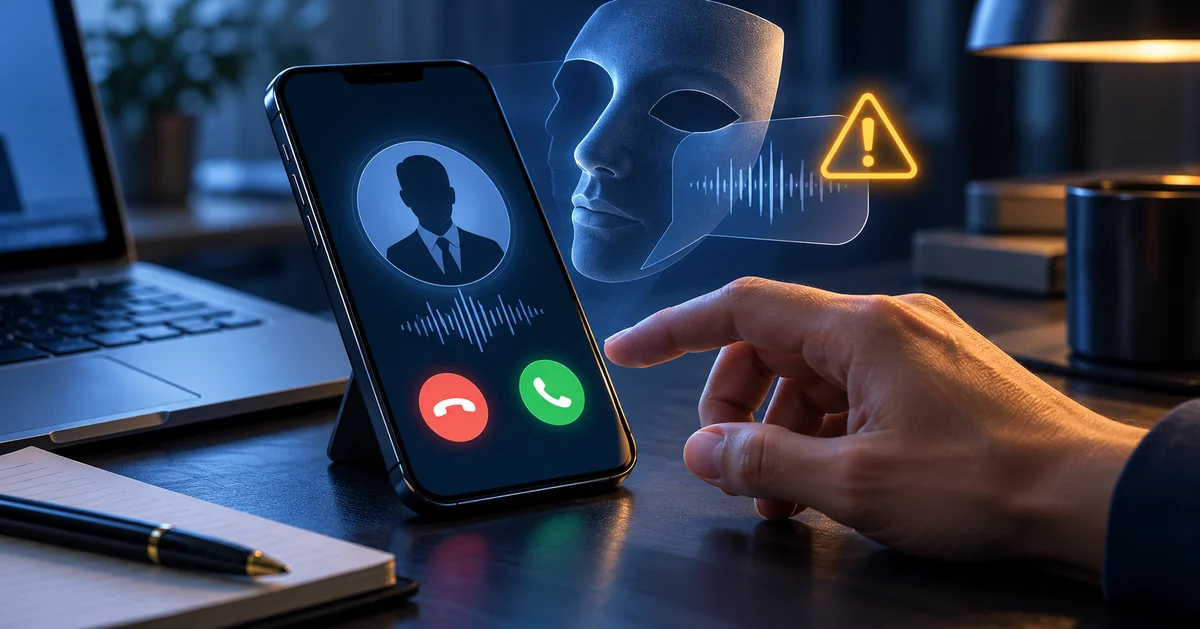
Voice cloning tools can now recreate a familiar voice from a short public audio clip, which is enough to fake an urgent call from an executive or family member. Deepfake video takes the same idea further, generating a convincing "on-camera" appearance for a video call that never actually involved the person it claims to show. If a video or voice call includes an unusual request for money, credentials, or access, verify through a second channel before acting, no matter how familiar the voice or face sounds.
ClickFix Prompts That Paste Hidden Commands
A newer technique, sometimes called ClickFix, tricks a user into copying and pasting a "fix" command into their computer to resolve a fake error message. The instructions look like routine troubleshooting steps, but the pasted command can execute malicious code, download malware, or enable further unauthorized activity. Any prompt asking you to open a run dialog or terminal and paste in text from an unfamiliar website deserves an automatic no.
What to Do the Moment You Spot One
Spotting the signs only helps if your team knows what to do next. A clear, rehearsed response turns a near-miss into a non-event instead of a breach.
1. Verify Through a Known Separate Channel
Never use the contact details given in the same message or call to verify a questionable request. Instead, conduct your own independent research on the individual or organization and contact them using a phone number or address you are already familiar with.
Independent verification through a known, trusted channel can significantly reduce the risk of impersonation and pretexting attacks. Pairing this behavior with multi-factor authentication on all sensitive accounts provides another layer of security, as CISA indicates that MFA can reduce the likelihood of account breach by up to 99%.
2. Report It Before Deleting the Evidence
Instead of deleting questionable emails, forward them to your IT or security staff, and make a note of the time and specifics of any unusual call or visit while you can remember them.
Your team can identify patterns that a single employee wouldn't see on their own and prevent similar attempts throughout the company by using that proof. When businesses are ready to address this gap with a vetted partner, Defend My Business provides them with the kind of security awareness training that makes reporting this habit automatic rather than an afterthought.
Frequently Asked Questions
What are the most common indicators of social engineering?
Manufactured urgency, requests for passwords or verification codes, unexpected communication from an authoritative figure, sender characteristics that nearly but not quite match a legitimate company, and unsolicited attachments or links are the most typical signs. A single sign is worth a second glance, and two or more should put an end to the conversation until you independently confirm it.
What signs of social engineering should you look for in an email?
Keep an eye out for mismatched or slightly changed sender domains, generic welcomes rather than your real name, uneven formatting or poor grammar, unexpected attachments, and links that don't match the text that appears when you hover over them. Even when an email appears professional, it is still important to verify through a different channel because spear phishing emails eliminate some of these indicators by using legitimate names and project data.
Which social engineering tactic is commonly reported?
Phishing and spoofing remain among the most frequently reported complaint categories in FBI IC3 data. However, IC3 complaint statistics should not be interpreted as a complete measure of how often every social engineering technique occurs.
Can a social engineering attempt happen over the phone?
Indeed. Before requesting sensitive data, account access, or a wire transfer, vishing attacks use phone calls and fake caller IDs to establish credibility. Classic warning indicators of a phone-based attack include a caller who refuses to be authenticated, puts pressure on you to stay on the line, or already has some accurate information about your business.
How do deepfakes change the warning signs?
The safest method is a pre-arranged verification technique, like a callback number or a code word, that doesn't rely on identifying a voice or seeing a face on screen. Deepfakes eliminate the dependability of a familiar voice or face as proof of identity, so verification has to go beyond "it sounded like them."
What should I do if I already replied?
If multi-factor authentication isn't already enabled on the impacted account, change any passwords or codes you may have shared right away. As soon as possible, notify your IT or security team about the incident so they can monitor for unauthorized access. If money was sent, get in touch with your bank and report it to the FBI's Internet Crime Complaint Center at ic3.gov.
Want help getting your security solution right?
Defend My Business helps SMBs cut through the marketing and get their security solution right for their environment, budget, and compliance needs — then deploy and manage it. Through our 400+ vendor network we can often secure better pricing and terms than buying direct, and we stay vendor-neutral, so the recommendation fits you, not a sales quota. Want a second opinion? Pair this with our cybersecurity consulting or talk it through with an advisor.
Book a free call with a DMB advisor →