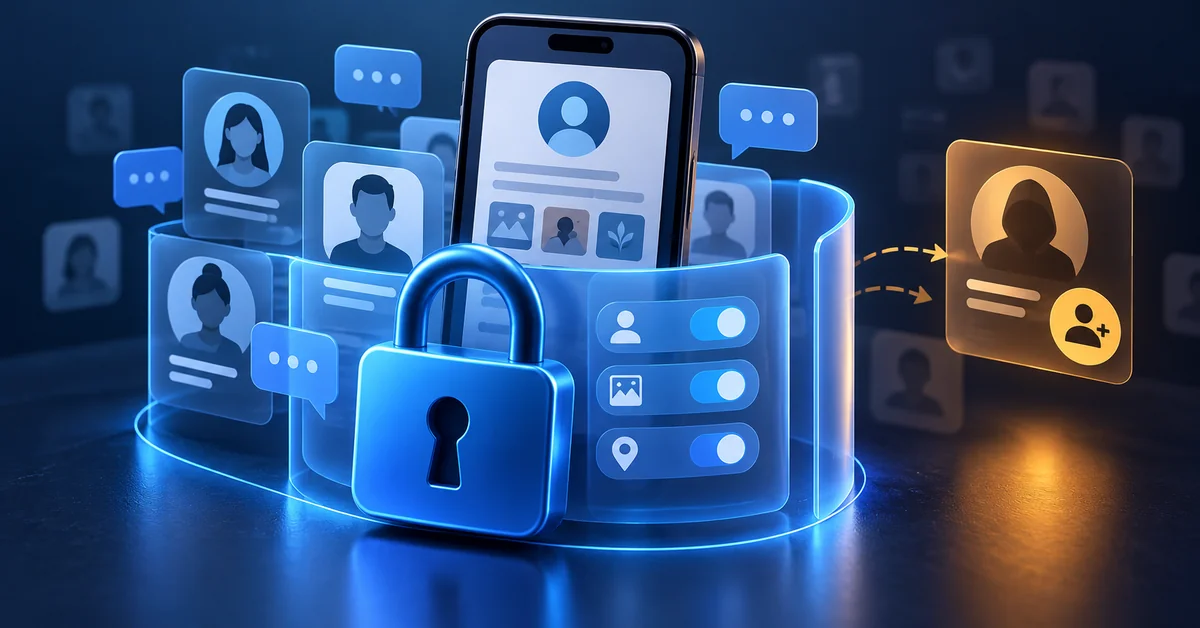
Social media platforms save more of your personal information than nearly any other online location. Strangers frequently see your birthday, your place of employment, your daily schedule, and even the names of your children. That combination of simplicity and visibility is precisely why criminals view social media as a prime hunting ground, and why you must protect yourself on social networking sites.
In 2025, reported losses from social media scams totaled $2.1 billion, with roughly 30% of those who lost money claiming the crime began on a social site. So, how can you safeguard yourself on social networking sites while maintaining the connection these platforms provide?
This article explains the settings, behaviors, and warning signals that lower your risk, as well as what to do if something goes wrong.
The Short Answer
Lock down your privacy settings to “friends only” or custom lists, enable two-factor authentication which reduces hacking chances by 99%, disable automatic login sessions, and use unique passwords for each platform to prevent account takeovers. In 2025, social media scams caused $2.1 billion in losses, with 30% of victims starting with a social site, highlighting the need for these basic security measures.
How Can You Protect Yourself on Social Networking Sites Today?
Prioritize the fundamentals before worrying about complex frauds. Account takeovers are often made easier by basic gaps, such as a reused password, an open privacy setting, or a login session that was never closed.
1. Lock Down Default Privacy Settings
Default privacy settings differ by platform, account type, and the user's age, and some leave posts, friend lists, or profile details visible to a wide audience. Review the settings on each platform you use. Moreover, change the audience for posts, images, and personal information to "friends only" or a custom list by opening your account settings.
If the platform permits it, hide your friend or follower list and disable the feature that helps search engines index your profile. These social media privacy settings modifications are the quickest method to limit what a stranger can discover about you in a single visit to your profile.
2. Turn On Two-Factor Authentication
A password is no longer adequate protection for any account you care about. A stolen password is still insufficient to get access since two-factor authentication adds a second barrier, either a code from an app or a physical security key.
According to the Cybersecurity and Infrastructure Security Agency, enabling multifactor authentication makes an account 99% less likely to be hacked. SMS-based MFA is more vulnerable to phone-number attacks such as SIM swapping than authenticator apps or security keys.
3. Stop Automatic Login and Saved Sessions
Staying logged in on a shared computer, a work laptop, or a device you later sell is one of the simplest methods to transfer your account without a single password being guessed.
Examine which browsers and devices are now shown as logged in under your account's security settings, and terminate any sessions that you are no longer using or don't recognize. After that, develop the practice of avoiding the "remember me" option on public or borrowed computers and logging out of social apps on devices that other people use.
4. Use Unique Passwords Per Platform
Reusing the same password on various sites implies that a single breach anywhere potentially compromises everything you possess online. Criminals test the same password against Facebook, Instagram, and email in bulk if a store or forum you hardly use is compromised.
A password manager solves this issue by creating and storing a unique, difficult password for each platform, eliminating the need to remember them yourself. When combined with MFA, unique passwords substantially reduce the risk of automated credential-stuffing and account-takeover attacks.
Things You Share That Attackers Really Use
Although privacy settings limit who can view your content, the content itself remains important. Scammers and identity thieves create convincing attacks using simple, everyday facts that you share without thinking twice.
1. Biographical Details in Your Public Profile
Your pet's name, hometown, school, and mother's maiden name are all typical security question answers, as is oversharing on a public profile. Criminals collect these fragments to change passwords, answer bank security questions, or create a personalized phishing message.
Before taking a "fun facts" quiz or responding to a birthday countdown post, consider whether the answer also serves as a security question elsewhere.
2. Photos That Reveal Location and Workplace
A photo of your desk can show your employer's badge system, monitor configuration, or a whiteboard filled with internal notes. Vacation photographs posted in real time notify anyone viewing that your home is currently empty.
A name badge or building sign can provide more information than most people realize, so wait until you're back from a trip before posting the pictures and take a quick look at the background of business photos before sharing them.
3. Geotagging and Check-In History
Location tags, check-ins, and location-enabled posts can reveal where you are or establish patterns in your movements. Together, they allow someone who has never met you to plan your daily routine, your gym schedule, and your kids' school pickup time.
Post location sharing should be disabled by default, and you should only manually add a location after you've left it, not while you're still there.
Verifying Connection and Friend Requests
Not all friend requests originate from friends. Carelessly expanding your network makes it easier for imposters to pose as reliable by using your personal relationships.
1. Duplicate and Fake Accounts
A cloned account replicates a person's name, public postings, and profile picture before sending friend requests to their actual connections in the hopes that they will accept without careful verification.
Before accepting a second request from a person you already know, send a message to the original account and report the duplicate. This type of deception frequently comes before a money request or a questionable link given under a reputable name.
2. Requests From People You Already Know
If someone in your social circle makes a legitimate request, you should give it another look if their actions seem strange. Compromised accounts frequently send requests or messages to the victim's full contact list, as attackers know that a communication from a familiar face is more likely to be trusted than one from a stranger.
Before responding, confirm over a different channel if a longtime connection unexpectedly requests money, offers an odd link, or writes in a way that doesn't sound like them.
Scams That Target You Inside the Platform
After you've shut down your profile and cleaned out your network, the next risk is from the platform's own message and advertising features, which scammers utilize on a daily basis to contact victims directly.
1. Clickbait Links and Fake Giveaways
The purpose of shocking headlines, celebrity offers, and "you won't believe this" links is to entice you to click rather than to educate you. Many people visit fake login pages that steal your login information as soon as you enter it.
Before clicking anything, take any offer that promises free merchandise, financial rewards, or alarming information about a public figure as bait and confirm it with an established source.
2. Direct Message Phishing and Fake Support
Scammers often appear as platform support employees and send direct messages claiming that there is a security flaw, a violation, or a locked feature that requires "verification." Treat unsolicited support messages with suspicion, especially if they ask you to enter credentials through a link or provide your password.
The FBI's Internet Crime Complaint Center recorded a record $21 billion in reported losses in 2025, with phishing-style schemes continuing to rank among the most frequently submitted complaints.
Federal agents continue to observe this pattern at scale. Close any messages that ask you to take immediate action or log in via a link, and instead visit the platform's website or app.
Third-Party Apps Connected to Your Accounts
Third-party apps, games, and social-login services you authorized in the past may still retain permissions or remain connected to your account.
Reviewing and Revoking App Permissions
Examine each third-party service that has access to your profile, friend list, or publishing capabilities by going into the app settings for your account. Many of these connections were authorized years ago for a one-time quiz or game that you totally forgot about, and some still have authorization to publish on your behalf.
Revoke anything you aren't actively using, and for the apps you do use, review what data they can read or write before granting additional permissions.
Why Staff Social Accounts Become a Business Risk
Personal social media habits cease to be personal when an employee's profile serves as a stepping stone into your organization. An attacker can gather all they need to target your company with only one oversharing behavior or an unlocked professional profile.
1. Oversharing That Enables Spear Phishing
Unlike generic phishing, spear phishing employs specific information about a target, such as their manager's name, a current project, or an upcoming trip, to make a fake message appear credible.
Workers who update their public profiles with project updates, organizational chart modifications, or out-of-office plans provide attackers with all the information they need to craft a convincing request for a wire transfer or login credentials.
Training employees to treat their personal social media accounts as part of the company's attack surface closes a gap that firewalls and email filters alone cannot bridge.
2. Executive Impersonation on Professional Networks
Fake LinkedIn profiles that mimic a CEO's or CFO's name, photo, and employment history are used to establish confidence with employees, vendors, or investors before a request for money or sensitive data is made.
Victims often comply before questioning the source, as the profile looks authentic at first glance. Businesses that monitor for impersonation and train executives to check unusual requests through a secondary channel detect these efforts before they cause serious damage.
This is when Defend My Business comes into the picture. Because we are partner-led, we link companies with account security and awareness training partners that lower social media exposure across a company rather than just one mailbox. Instead of developing a security program from scratch, your company is connected with vetted partners that are appropriate for your size, industry, and current risk level.
If Your Social Account Is Already Compromised
Even careful users can have accounts compromised through phishing, credential theft, malware, reused passwords, stolen sessions, or breaches affecting other services. Your actions within the first hour are more important than your previous actions.
1. Recovery Steps and Session Revocation
Start with the official account recovery procedure offered by the platform, which usually requires you to confirm your identity via phone, email, or a series of security questions. Change your password as soon as you're back in, terminate any open sessions and unidentified connected devices, and activate two-factor authentication if it wasn't already.
Before you consider the account entirely recovered, look through your account activity log for any posts, messages, or friend requests you didn't send, and delete anything strange.
2. Telling Contacts Before the Scam Spreads
A hijacked account is frequently used to message your whole friend list in minutes, typically begging for money or sending a harmful link. Post a notice to the public and, if at all possible, send a direct message to close contacts informing them that your account was compromised and advising them to disregard any strange messages sent during that time. Taking swift action reduces the number of people who fall for a scam that uses your identity.
Frequently Asked Questions
What can I do to protect my privacy on social networking sites?
Start with your privacy settings: disable public search indexing, limit who can view your posts, and hide your friend list. Combine it with two-factor authentication, one-of-a-kind passwords, and the practice of double-checking information about one's location or place of employment.
How do I protect my online identity on social networks?
Limit the personal information in your public profile, refrain from publishing too many images and posts, and check which third-party apps have access to your accounts to safeguard your online identity. You can also detect identity theft attempts early by routinely monitoring your login behavior.
Which privacy settings matter most?
The most important factors are location sharing settings, friend list exposure, and post audience controls because they dictate how much of your life a stranger can infer from your public profile alone.
Is two-factor authentication enough on its own?
Although two-factor authentication significantly reduces your risk, it is not a stand-alone solution. For complete account protection, combine it with distinctive passwords, cautious link-clicking, and frequent privacy checks.
Should employees keep work details off their profiles?
Indeed, employees should approach their personal accounts as part of the company's security perimeter because project names, organizational charts, travel schedules, and office images provide attackers with data for spear phishing and executive impersonation.
What should I do if my account gets hacked?
Turn on two-factor authentication, update your password right away, revoke unfamiliar sessions, and use the platform's account recovery procedure. Then, in order to prevent the fraud from spreading through your name, immediately alert your connections.
Want help getting your security solution right?
Defend My Business helps SMBs cut through the marketing and get their security solution right for their environment, budget, and compliance needs — then deploy and manage it. Through our 400+ vendor network we can often secure better pricing and terms than buying direct, and we stay vendor-neutral, so the recommendation fits you, not a sales quota. Want a second opinion? Pair this with our cybersecurity consulting or talk it through with an advisor.
Book a free call with a DMB advisor →